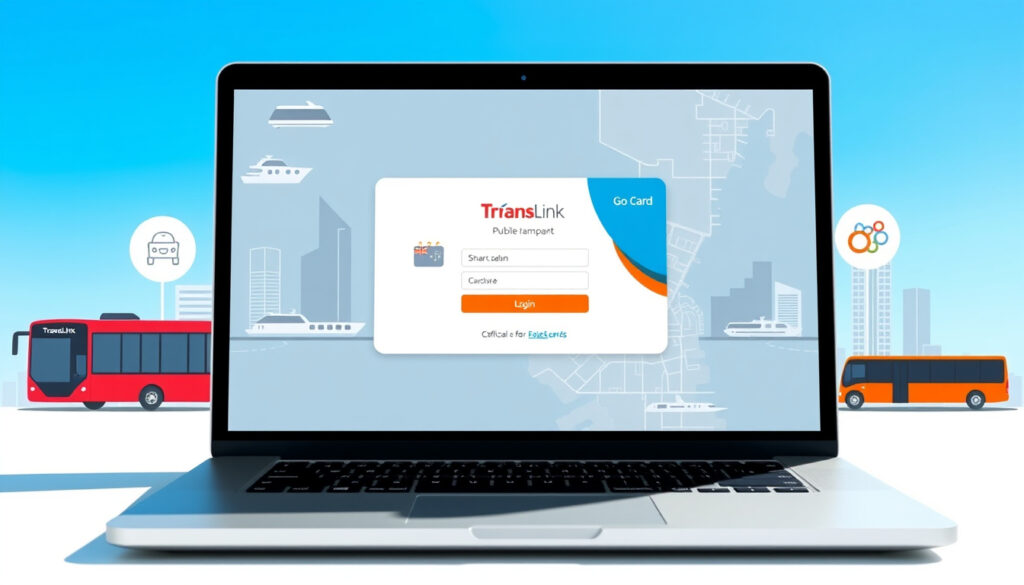
Go Card Login QLD: Official TransLink Guide and Steps
If you’ve been typing “go card login” into your browser and landing on pages that have nothing to do with your Queensland transit card, you’re not alone. The search results get tangled between TransLink’s go card, an Irish car-sharing service called GoCar, and a gift-card balance checker called AllGo. This guide cuts through the noise with the official steps—from finding the right portal to topping up without a hitch.
Official Login Site: gocard.translink.com.au · Username Format: Last 16 digits of go card · Primary Service Area: Queensland, Australia · Key Actions: Login, top-up, register
Quick snapshot
- Whether a dedicated mobile app exists for login and top-up
- Current maximum balance cap beyond the $200 online top-up ceiling
- Balance adjustments processed within 48 hours (TransLink)
- Balance transfers complete within 10 business days (TransLink)
- Log in to check balance, top up, or set up auto top-up
- Register a new card to unlock full account features
The table below consolidates the core specifications from TransLink’s official documentation on go card operations.
| Field | Detail |
|---|---|
| Official Portal | gocard.translink.com.au |
| Username | Last 16 digits of go card |
| Service | TransLink QLD transport |
| Alternate Sites | Avoid GoCar and AllGo for QLD card |
| Auto Top-up Trigger | $5 balance threshold |
| Minimum Auto Top-up | $20 |
| Online Top-up Range | $10 to $200 |
| Phone Top-up Range | $5 to $200 |
| Reversal Period | 60 days if no tap-on |
| Balance Adjustment Window | 120 days |
Go card login qld
Queensland residents and visitors using South East Queensland’s public transit network need to access their go card account through the correct portal. The official website for all go card operations—including login, registration, and top-up—is gocard.translink.com.au, operated by TransLink.
Username requirements
Your username for the go card login is not a self-chosen screen name. It is the last 16 digits printed on the back of your physical go card. This applies to every account holder, whether you registered yesterday or years ago.
- Locate the 16-digit number on the reverse of your card
- Enter those digits exactly as they appear—no spaces, no leading zeros dropped
- Create a password during first login if you haven’t registered yet
The implication: the username hurdle pays off immediately for registered users who gain balance protection, transaction history, and automatic reloads.
Over 200,000 travellers have already activated auto top-up on their registered accounts, according to TransLink’s official top-up guide. Registering your card unlocks balance protection, transaction history, and automatic reloads—so the username hurdle pays off immediately.
Login troubleshooting
If your go card login attempt fails, the issue is usually one of three things: an incorrect card number entry, a forgotten password, or attempting to log in on the wrong website entirely.
- Confirm you are on gocard.translink.com.au — not gocar.ie, not allgo.getmybalance.com
- Check that you are entering the last 16 digits, not the first digits or the card’s serial number
- For a forgotten password, call 13 12 30 to reset it — there is no self-service recovery via email
Go card top-up
Once you are logged in, topping up your go card is one of the most useful things you can do with your account. TransLink offers several top-up channels, each with slightly different rules and minimum amounts.
Online top-up steps
- Log in at gocard.translink.com.au using your 16-digit card number
- Select the “Top up” tab from your account dashboard
- Choose a one-off top-up amount between $10 and $200, or set up auto top-up
- Pay with an Australian Visa or Mastercard — Amex and Diners are not accepted online
- Funds appear on your balance after your next tap-on with the card
The pattern: online top-ups only accept Australian Visa or Mastercard, while station machines accept international cards and BasicsCard.
Login required for top-up
Online and phone top-ups are only available to registered go card holders. If you have an unregistered card, you can still top it up at any of the 1,600+ physical locations across South East Queensland—including Queensland Rail station ticket offices, fare machines at G:link tram stations, and selected retailers—but you will not be able to top up online without first creating an account.
Online top-up funds sit in a pending state until you physically tap your card on a reader. If no tap-on occurs within 60 days, the top-up is reversed automatically, according to TransLink’s buy and top-up page. This means topping up in the morning for an evening commute works fine, but loading funds and leaving the card in a drawer for two months will cost you the balance.
Go card top-up login
Combining login and top-up into a single session is straightforward once you know the steps. The TransLink platform is designed to keep the process to a few clicks.
Combining login and top-up
- Navigate to gocard.translink.com.au
- Enter your 16-digit go card number as the username
- Enter your password and click “Sign in”
- Click “Top up” in the navigation or dashboard area
- Select your top-up amount or enable auto top-up
- Confirm payment details and submit
Post-login process
After a successful top-up, the portal confirms the transaction immediately. The actual balance update requires one tap-on at any go card reader—on a bus, train, ferry, or tram. The balance adjustment window is 120 days for overcharges or default fares, which is useful if you accidentally forgot to tap off and were charged the default $2.50 fare.
The implication: registered users who tap on within 60 days always retain their funds, while those who forget risk automatic reversal.
Go card register
Registering your go card is not mandatory for using the card on public transit, but it unlocks a meaningful set of features that make managing your account far more convenient.
Registration steps
- Go to gocard.translink.com.au and click “Register”
- Enter your go card number (last 16 digits)
- Provide an Australian address, email, and contact phone number
- Create a secret question and answer for account recovery
- Set your username (pre-filled from card number) and choose a password
- Agree to the terms and conditions and submit
Required information
You will need your physical go card on hand to complete registration, as the 16-digit number is the primary identifier. An Australian postal address is required—this is because online card delivery is available within Australia, though you can also pick up a card at over 680 locations across South East Queensland.
Registered go card holders can access balance protection if the card is lost or stolen, view full transaction history, request refunds for overcharges, and set up auto top-up so the card reloads automatically when the balance drops below $5. For regular commuters, registration is worth the five-minute investment.
What this means: unregistered users face a concrete disadvantage—they must physically visit one of the 1,600+ top-up locations to reload, while registered users handle everything from their phone or computer in under two minutes.
TransLink go card login australia
TransLink is the Queensland state government authority managing public transit across South East Queensland. Its go card is a contactless smart card used on buses, trains, ferries, and trams across the greater Brisbane area, Ipswich, Sunshine Coast, and Gold Coast regions.
Australia-specific access
The go card is a South East Queensland product. It does not work on public transit systems in other Australian states—Sydney uses Opal, Melbourne uses Myki, Perth uses SmartRider. If you are travelling to Queensland from interstate, you can purchase a go card at any of the 680+ retailers or Queensland Rail station offices for a $10 refundable deposit (adult cards).
- Go card works on TransLink bus, train (including Airtrain), ferry, and G:link tram
- Concession fares for students, job seekers, and asylum seekers are available via the account’s “My details” section
- Balance transfers between cards complete within 10 business days
Distinguishing from others
The most common source of confusion is the name “go card.” There is only one relevant here: TransLink’s go card for Queensland public transit, accessed at gocard.translink.com.au. The Irish car-sharing service at my.gocar.ie uses the exact same spelling but targets a completely different market. AllGo at allgo.getmybalance.com is a balance-checker for gift cards and has no connection to transit whatsoever.
Third-party websites and search results sometimes surface under the “go card” name for unrelated services. Always verify the URL. The official TransLink domain is translink.com.au for general information and gocard.translink.com.au for account operations.
The catch: Queensland commuters who land on the wrong site waste time and gain nothing—the Irish car-sharing platform and gift-card checker share the name but serve completely different purposes.
Steps to log in and top up your go card
Three distinct paths cover the most common tasks Queensland travellers need: logging in, one-off top-up, and setting up auto top-up.
- Log in: Visit gocard.translink.com.au, enter your 16-digit go card number as the username, and your password. If you have not registered, click “Register” first.
- Top up (one-off): After logging in, click “Top up,” select an amount between $10 and $200, pay with Australian Visa or Mastercard, and confirm. Tap your card on any reader to load the funds.
- Set up auto top-up: From the dashboard, click “Top up,” choose “Auto top-up,” set the trigger amount (minimum $20), and link your credit or debit card. The system reloads automatically when balance falls below $5.
- Check balance: Log in and view your current balance on the welcome page. For physical balance checks without login, tap your card on any reader at a Queensland Rail station or G:link tram stop.
- Request a balance adjustment: If you were charged the $2.50 default fare by mistake, log in, go to the History tab, click “Report,” and submit an enquiry. Adjustments are processed within 48 hours.
Upsides
- Auto top-up prevents being stranded with zero balance mid-commute
- Registered accounts have balance protection if the card is lost or stolen
- Online top-up is instant and works any time
- Balance adjustments can be requested within 120 days for overcharges
Downsides
- Online/phone top-up requires Australian Visa or Mastercard only
- Unregistered cards cannot top up online
- Top-up funds reverse if no tap-on occurs within 60 days
- Password resets require a phone call to 13 12 30
“The easiest way to ensure you always have enough money to travel is to activate auto top-up.”
— TransLink (Official Provider)
“You can top up at over 1,600 places across South East Queensland including retailers, Queensland Rail station ticket offices, and fare machines.”
— TransLink Official Buy and Top-up Guide
For Queensland commuters relying on the go card for daily travel across Brisbane, Ipswich, Sunshine Coast, and Gold Coast, the choice between a registered and unregistered account has a concrete impact: unregistered users must physically visit one of the 1,600+ top-up locations to reload, while registered users handle everything from their phone or computer in under two minutes. Given that over 200,000 travellers have already opted for auto top-up, the registered account path clearly saves time and prevents the embarrassment of a declined card at the turnstile.
What should I use as username for go card login?
Use the last 16 digits printed on the back of your go card. This is your permanent username for gocard.translink.com.au and cannot be changed to a custom handle.
Can I top up go card without logging in?
Yes. You can top up at over 1,600 physical locations across South East Queensland, including Queensland Rail station ticket offices, fare machines, and selected retailers. Online top-up requires a registered account.
Is go card login available via mobile app?
The go card account is managed through the website at gocard.translink.com.au. There is no dedicated mobile app confirmed as of this writing, but the site is mobile-responsive for browser-based access.
How do I recover a forgotten go card password?
Call 13 12 30 to reset your password. There is no self-service email recovery on the portal—you will need to speak with a TransLink customer service representative.
Is TransLink go card login free?
Yes. Creating an account and logging in at gocard.translink.com.au is free. Fees apply only to the card deposit ($10 for adults, $5 for child or concession) when purchasing a new card.
What browsers work for go card login?
The portal works on current versions of Chrome, Firefox, Safari, and Edge. JavaScript must be enabled, and cookies are required for session management.
Does go card login require the card number?
Yes. The 16-digit card number is your username. You cannot log in without it, which is why registration requires having the physical card present.
Related reading: Virgin Money Login – Secure Account Access Guide · Ultimate Gift Card – Best Reloadable Options for 2025
translink.com.au, youtube.com, youtube.com, ftp.bills.com.au, busbot.com.au, gocard.translink.com.au
More related posts
 Leka Halasima: Biography, Age, Career, and Net Worth
 Gary Burghoff: M*A*S*H, His Hand, and Life Now
 Lincoln Lewis: Home and Away Actor to Sports Presenter
 Brennan Johnson Transfer: Why Spurs Sold, Salary, and What He Said
 Kia Carnival: Seating, UK Availability, Cost & Reliability
 Cristiano Jr.: Age, Height, and Football Facts in 2025
 Daisy May Cooper: Kids, Divorce, Sobriety, ADHD, and More
 Jeremy Irons: Biography, Irish Castle, Net Worth & Controversy